livepair · chrome extension
Joy in your toolbar.
Point at anything on the web and ask. The agent reads the screen — pixels, not just copyable text — and answers in an overlay that never blocks your clicks.
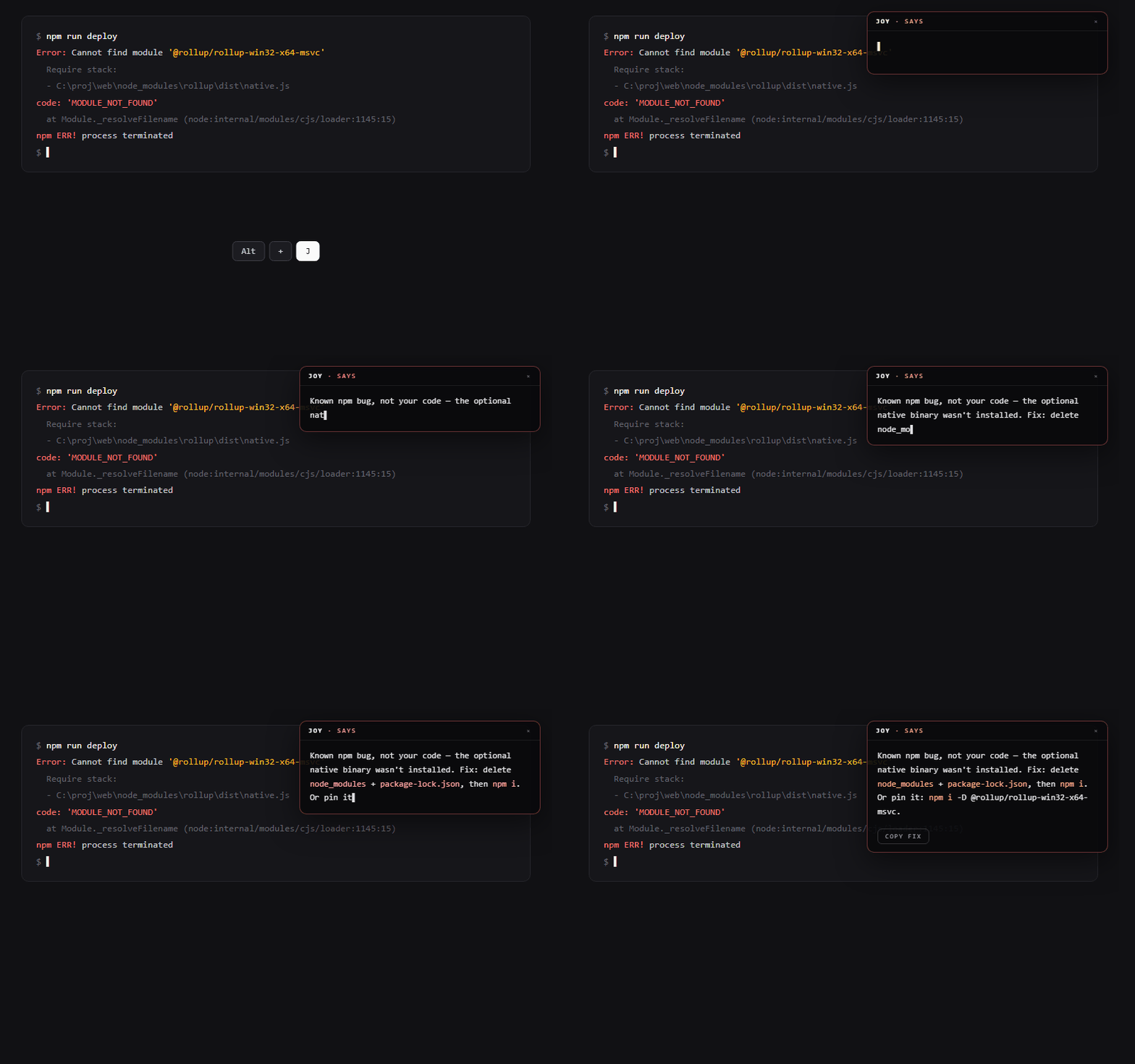
the overlay renders text only — every click passes straight through
Three steps, no setup
01
Install once
Add the extension, sign in once with your LivePair account (Google). The toolbar badge shows your remaining session minutes from then on.
02
Ask about what's on screen
Click “Ask Joy — this page” in the popup, press Alt+J, or right-click → Ask Joy. Joy reads a screenshot of the tab and floats the answer in a click-through overlay — it can't eat your mouse.
03
Hand the page to a live session
Right-click → “Watch this with Joy” saves the page (and your selected text) as agent context, then drops you into a live session that already knows what you were looking at.
What an on-screen ask buys you
Charts and images
Graphs, dashboards, screenshots — things you can't copy-paste. Joy reads the pixels and tells you the outlier, the trend, the thing that matters.
Error logs and stack traces
Red terminal text → a plain-language cause and the command that fixes it, with a copy button. Faster than pasting into a search box.
Unfamiliar UIs
Dense foreign-language consoles and pro tools — ask what a screen does instead of guessing which button bills you.
Persistent context
Overlay answers come from the same cognitive agent as chat and live sessions — it remembers what you were working on.
Straight answers
- What does it see?
- Nothing until you invoke it. There is no background watching — the screenshot is captured the moment you click or press Alt+J and sent once to your live session.
- What does it cost?
- Overlay asks spend chat credits at the standard rate. Live sessions spend minutes — $3/hour, billed by the minute. Two separate pools, both visible in the popup.
- What can't it do?
- chrome:// pages and the Web Store itself are off-limits to every extension. It answers over your screen — it doesn't click, type, or drive the page for you.